


 sales@resultfirst.com
 +1-888-512-1890
How to Recover Organic Traffic Lost After a Shopify Platform Migration

Your Shopify store finally went live. The new design looks sharp. The checkout feels smooth. Then you open Google Analytics and your stomach drops. Organic traffic has fallen off. You are not alone in this. More than 10% of online stores worldwide now run on Shopify, and many of them feel this same shock right after launch.
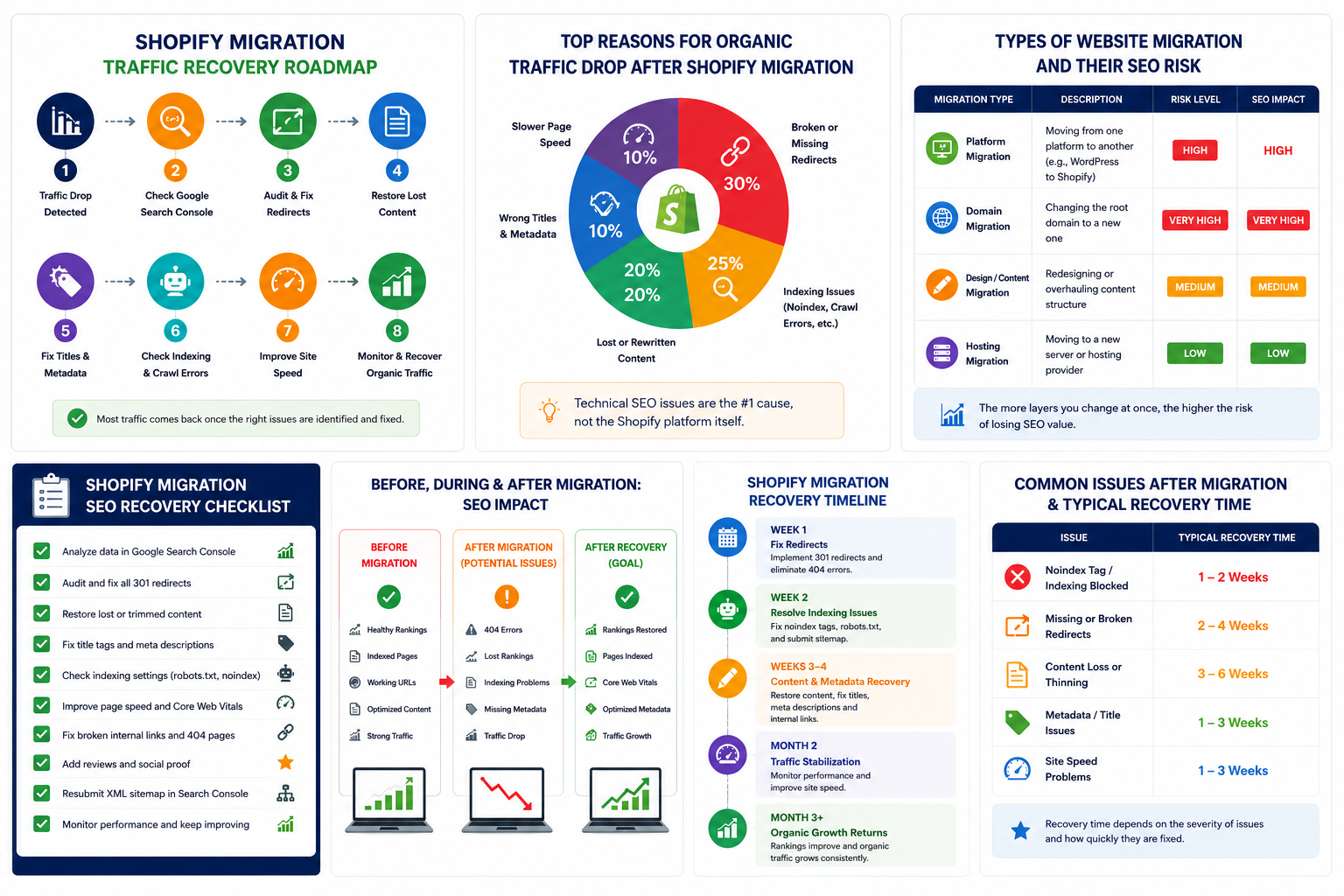
Studies show that a temporary 10–20% drop in organic traffic is normal during the first few weeks after a migration. In most cases, the loss is caused by technical SEO issues such as broken redirects, missing metadata, crawl errors, or indexing problems, not by the Shopify platform itself. The good news is simple. Most lost traffic comes back fast once you find the real problem and fix it. This guide walks you through every step needed to bring your rankings and your visitors back home.
What Is a Website Migration and Why Does It Carry So Much Risk?
A website migration is the act of moving a site from one environment to another. That word “environment” covers a lot of ground. It could mean your platform. It could mean your domain. It could mean the server that hosts your files. Every one of these moves changes something search engines rely on to understand your site.

Image Source: Ahfers
There is an old saying about trust. It comes on foot and leaves on horseback. Trust takes years to build and seconds to lose. The same rule applies to SEO value. Your rankings took months or years of consistent signals to earn. A rushed migration can wipe out a large share of that value in a single afternoon.
Store owners usually run into one of these migration types.
- Platform migration: moving from one system to another, such as WordPress to Shopify
- Content or design migration: a full overhaul of how the site looks and reads
- Domain migration: switching the root web address to a new one
- Host migration: moving the files to a new server or hosting provider
Many brands combine two or three of these at once. A full replatform to Shopify often comes with a fresh design and a cleaner domain on the same day. Each layer adds its own risk. Stack three layers together, and you multiply the number of things that can quietly break.
According to Shopify, businesses moving to the platform complete migrations 20% faster on average, making it easier to protect rankings and revenue.
Why Did Your Traffic Drop After Moving to Shopify?
Your new store did not break your SEO on its own. A migration moves many parts of your site at once. Search engines need time to read all these changes. When something breaks during that process, your traffic falls fast. The drop feels scary, but it almost always points to a fixable issue rather than a permanent penalty.
Here are the most common reasons stores lose traffic after a Shopify move.
- Missing or broken redirects
- Lost or rewritten content
- Wrong title tags and weak metadata
- Indexing settings still blocking Google
- Slower page speed than before
- Broken internal links and dead pages
Each of these problems has a clear fix. Let’s start with the step that matters most before you touch anything else on your live store.
Is the Migration Really to Blame?
Before you fix a single thing, you need proof. Traffic can drop for reasons that have nothing to do with your new store. A slow week for your ads. A shift in search demand. A broader Google update. Rule these out first so you don’t waste time chasing the wrong problem on the wrong page.
Here are the key steps to recover organic traffic after a website migration:
Check Search Console Before You Panic
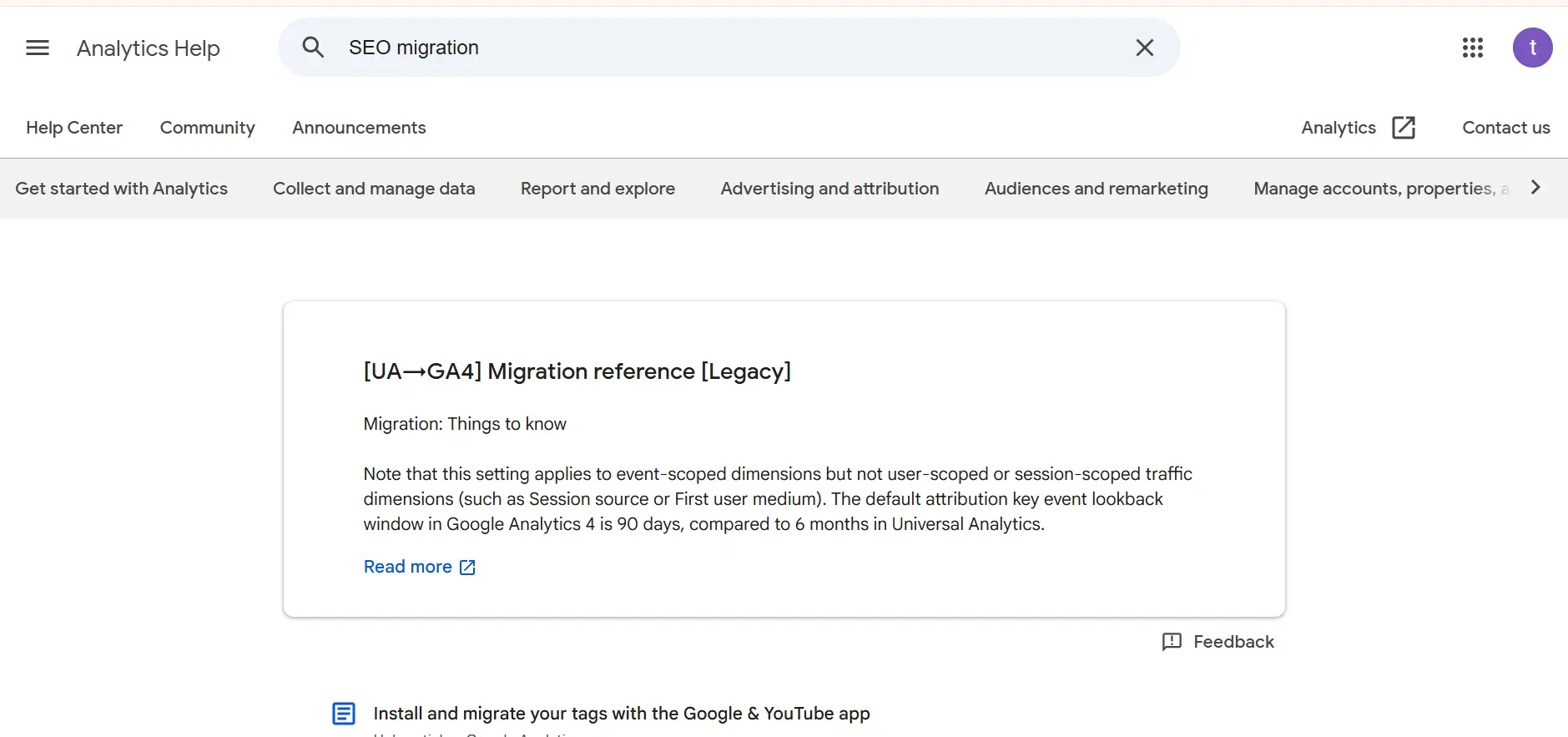
Google Search Console shows you exactly which pages lost clicks and which lost impressions. Pull the data from before your launch date. Then pull the data from after. Line them up side by side. This single step tells you if the drop hit your whole site or just a handful of pages.
If the loss is spread across your whole domain, the cause is usually technical. Think redirects or indexing settings. If the loss sits inside one section like your blog or one product category, the cause is often content or internal linking. This narrows your search fast and saves you days of guessing work.
Source: Google Analytics
Fix Broken Redirects First
Once you confirm the migration caused the drop, redirects deserve your attention first. Old URLs need to point straight to their new home. A missing redirect sends both visitors and Google straight into a wall of 404 errors. That wall costs you rankings fast, and it costs you sales even faster.
In fact, 19% of online shoppers abandon their carts because they don’t trust a website with their sensitive information. Broken links and error pages can create that same sense of uncertainty, making visitors more likely to leave before converting.
Follow these rules for clean redirects.
- Use a 301 redirect for every old URL that changed
- Point each redirect to its closest matching new page
- Never redirect everything to your homepage as a shortcut
- Avoid chains that bounce through three or four pages before landing
- Test your top 50 pages by hand using a plain browser
Shopify makes this part easy. Go to Online Store, then Navigation, then URL Redirects. Upload your full list as a CSV file. This one step can save you hours compared to entering each link by hand one at a time.
Bring Back the Content That Used to Rank
Redirects fix the path. Content fixes the value waiting at the end of that path. Many stores trim their copy during a redesign without realizing how much weight that copy carried in search results.
Open your analytics tool and look for pages with the steepest traffic drop. Compare the old version of that page against the new one. Did a strong product description get cut down to two lines? Did a helpful blog post get merged into a shorter page? If so, restore the parts that mattered. You don’t need to copy the old page word for word. You need to bring back the depth and detail that earned the ranking in the first place.
Sometimes pages vanish completely because two old pages got combined into one. That can be a smart move for users browsing your store. It still needs a plan behind it. Make sure the surviving page covers every keyword the old pages used to rank for and link out to anything that got left behind.
Fix Your Title Tags and Metadata Too
Metadata sits behind the scenes of every page, yet search engines lean on it heavily. The title tag works like the sign hanging outside your shop. It tells Google and your shoppers what they are about to find. A strong title tag carries your brand name plus a clear description of the page topic.
During a rebuild, this small detail gets skipped more often than you would expect. Developers move fast and leave placeholder titles in place. Pages end up labeled “Home” or “Page 2” or simply “Product” with nothing else attached. Search engines read this as a sign that the page lost its purpose, and rankings often slide as a result.
As per a report, Google rewrites title tags in search results more than 60% of the time when it believes the original title doesn’t accurately describe the page.
Crawl your full site and pull a list of every title tag and meta description. Scan for anything generic or duplicated across many pages. Rewrite each one so it matches the actual content on that page. This fix is quick once spotted, and stores that catch it early tend to see rankings recover within days rather than weeks.
Did Your Indexing Settings Lock Google Out?
This sounds technical, but the fix is fast once you spot it. Every staging site uses a noindex tag to keep Google away while you build. The mistake happens when that tag never gets removed after launch. Google then treats your entire live store like a private draft and pulls your pages from search results within days.
Check Your Robots.txt File First
Open your robots.txt file and your page source code. Look for any noindex tag sitting where it should not be. Look at your robots.txt rules too since a single wrong line here can block your whole sitemap from being crawled at all.
If you find the issue, the fix takes minutes. Switch the tag from noindex to index. Update robots.txt to allow full crawling. Submit your sitemap again inside Google Search Console. Traffic recovery from this specific mistake tends to happen fast once Google recrawls your store and resets its view of your pages.
Make Your New Store Faster Than the Old One
Speed plays a bigger role in rankings than most store owners expect. Google treats page speed as a ranking signal and shoppers treat it as a reason to stay or leave without buying anything. Data from Shopify shows stores on its platform render about 1.8 times faster on average than stores on other platforms. That speed advantage only shows up if your new store gets set up the right way from the start.
Watch out for these common speed killers after a migration.
- Heavy apps stacked on top of each other
- Large image files that never got compressed
- Unoptimized JavaScript running on every single page
- A theme loaded with extra features you never actually use
Run your new store through Google Lighthouse and fix what it flags first. Even a small gain matters here. Shopify’s own research found that a half-second speed improvement alone can lift conversion rates in a meaningful way. Faster pages also tend to earn longer visits, and that longer visit sends a strong positive signal straight back to Google.
Repair Your Links and Site Structure
A migration often reshuffles how pages connect to each other across your store. Categories get renamed. Navigation menus get simplified. Products move into new folders. Some of this helps your shoppers find things faster. It can still strip away the internal links that used to support your best ranking pages.
Run a full crawl of your store using a tool built for this exact job. Look for any link pointing to a page that no longer exists. Fix every broken one you find on the list. Then look at your most important pages and check how many internal links point toward each one. If a page that used to rank well now sits with thin internal support, add links back from related pages and blog posts you already have.
Research shows that 42.5% of websites contain broken links, making link audits one of the most important steps after a platform migration.
Don’t forget your external links either. Years of backlinks pointing at old URLs lose their power fast if those URLs now lead to dead ends instead of live pages. Map every important backlink to its correct new destination so that authority keeps flowing where it should flow.
Win Back Trust With Reviews and Social Proof
Trust signals matter more than people realize during a recovery period. Shoppers who see real reviews and real photos stay longer and engage more with your pages before they leave. That behavior tells search engines your site delivers a good experience worth ranking well.
The numbers back this up clearly. Shoppers who see user-generated content convert at a rate up to 161% higher than those who don’t see any. A product with just 10 reviews can see a 53% lift in conversion compared to one with none at all. Add customer photos to those reviews and purchase likelihood climbs by 137%. None of this happens by accident. It happens because real proof builds real confidence in shoppers who are still on the fence.
Set up your review system early in your recovery plan rather than treating it as an afterthought. Strong engagement signals support every other fix you are making at the same time, and they compound together over the following months.
How Long Will Recovery Actually Take?
This is the question every store owner asks first. The honest answer depends almost entirely on how fast you act. Act within the first two weeks and most issues resolve within a month. Wait longer than that and recovery slows down even after you fix the root cause completely. Search engines need to revisit your pages and rebuild trust in your new structure from scratch. The faster you act, the faster that trust rebuilds and the faster your numbers return to normal.
Quick Reference Table: Common Issues and Fixes
| Problem | Likely Cause | Fix | Typical Recovery Time |
| Sudden full site drop | Noindex tag left on | Remove tag and resubmit sitemap | 1 to 2 weeks |
| 404 errors on old URLs | Missing redirects | Add 301 redirects for every page | 2 to 4 weeks |
| One section losing traffic | Content cut or merged | Restore key content and keywords | 3 to 6 weeks |
| Generic or duplicate titles | Placeholder metadata left in | Rewrite title tags and descriptions | 1 to 3 weeks |
| Slow load times | Heavy apps or images | Compress images and audit apps | 1 to 3 weeks |
| Falling category rankings | Broken internal links | Rebuild links to key pages | 2 to 5 weeks |
| Low engagement signals | Few reviews or trust signals | Add reviews and social proof | 3 to 8 weeks |
Final Thoughts
A traffic drop after a Shopify migration feels like a punch to the gut. It rarely means your new store made a bad decision. It almost always means one or two technical pieces fell through the cracks during a busy launch. Redirects. Indexing settings. Title tags. Content depth. Speed. Each one has a clear fix once you know exactly where to look for it.
Work through this guide one section at a time rather than trying to fix everything at once. Start with proof that the migration caused the drop. Move into redirects and indexing since these tend to deliver the fastest wins. Then strengthen your metadata, your content, your links, and your trust signals to lock in long-term growth. Your new store can end up stronger than the old one ever was. The traffic dip is just a bump on the road to that outcome, and it does not have to define your launch.
Ready to stop migration-related traffic losses before they impact your revenue? ResultFirst helps ecommerce brands recover rankings, resolve technical SEO issues, and rebuild organic visibility after Shopify migrations. Our SEO services for e-commerce combine technical expertise, migration planning, and ongoing optimization to help protect rankings, recover lost traffic, and support long-term ecommerce growth. Get in touch today and let’s turn your migration into a growth opportunity.
Sources Referenced:
- https://www.searchenginejournal.com/what-is-a-migration-hangover-traffic-drop-how-do-you-avoid-it/575102/
- https://www.shopify.com/enterprise/blog/replatforming-seo-strategies
- https://baymard.com/lists/cart-abandonment-rate
- https://www.yotpo.com/blog/ecommerce-product-reviews-seo-sales/
FAQs:
WHAT TO READ NEXT
READY TO BUILD PREDICTABLE ORGANIC GROWTH?
We are the only TOP SEO services agency providing Real Results in a Real Performance model. We help growth hungry companies outperform their competition and achieve 300%+ growth in their digital marketing initiatives.
- San Jose, CA, 95120

- +1-888-512-1890

- sales@resultfirst.com

300K+
KEYWORDS RANKED
546M+
REVENUE GENERATED
18 Years
SOLVING COMPLEX SEO
150+
TEAM MEMBERS